Macaros is my Apple Silicon home for AROS, the open-source AmigaOS-compatible operating system. AROS is compiled for AArch64 and runs inside an arm64 Mac application.
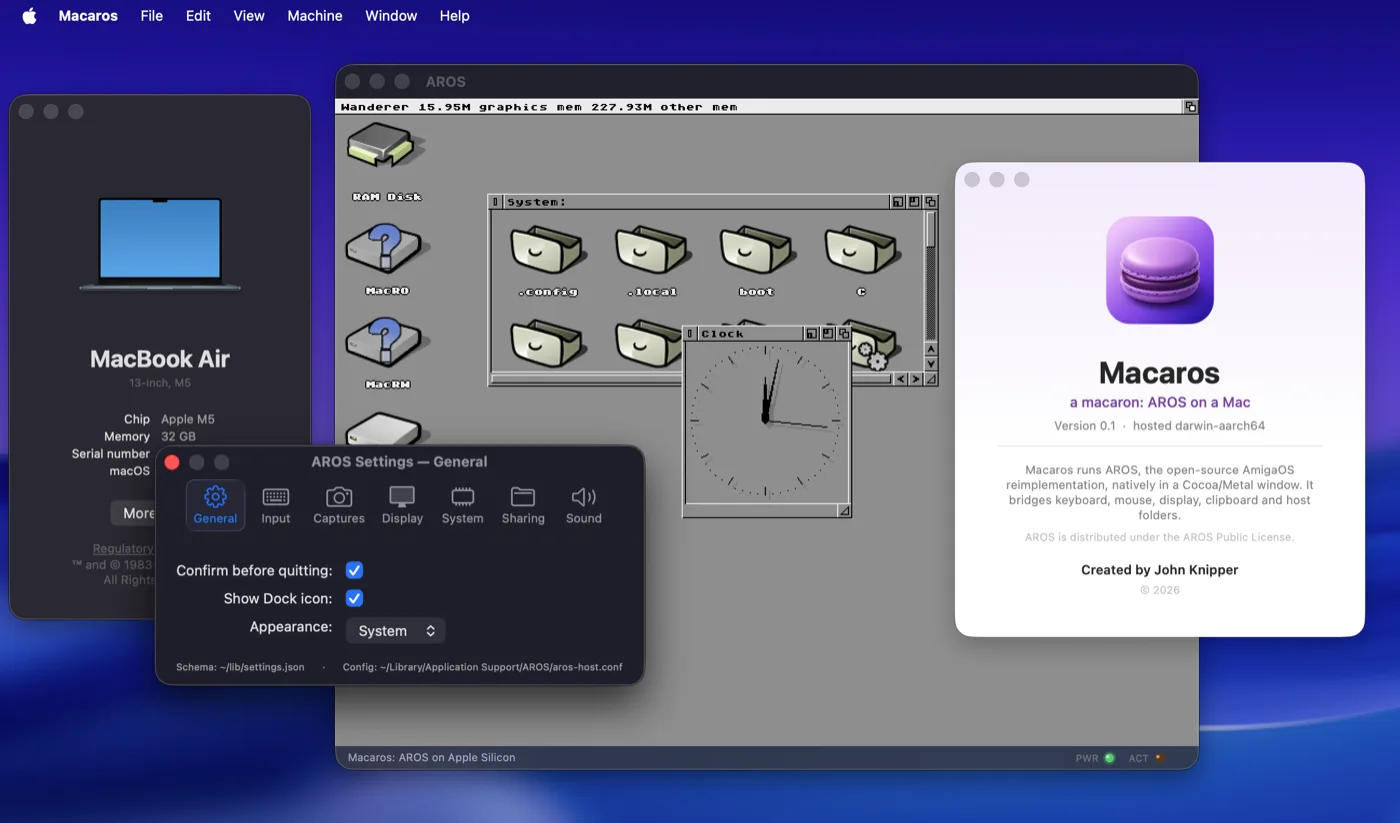
Double-click Macaros and the Wanderer desktop boots in a resizable Cocoa and Metal window. AROS provides the operating-system environment; macOS provides the hardware-facing services through a small set of bridges.
Why host an operating system?
Much of Apple Silicon's bare-metal hardware interface is undocumented. A native hardware port would first require substantial work on boot, interrupts, graphics, audio, storage and networking.
Hosting changes the order of the work. Cocoa and Metal present the AROS framebuffer. CoreAudio backs AHI sound. Native sockets provide networking and DNS. NSPasteboard carries clipboard text. A Mac folder becomes an AROS volume. Each bridge exposes a host capability through a normal AROS interface, so applications continue to see an operating system rather than a collection of Mac-specific shortcuts.
Macaros is a hosted system; I am not planning a bare-metal Apple
Silicon port. Code built for this AROS target has to follow the host
ABI and must never allocate register x18. Apple reserves
that platform register, and Darwin signal delivery does not preserve
a guest value there. C and C++ builds use -ffixed-x18; the
Rust target reserves it as well.
The AROS system and its modern applications execute as arm64 code. Classic 68k programs use a separate compatibility layer.
What Macaros can do today
The current release includes the Wanderer desktop, keyboard and mouse
input, native menus, clipboard, audio, networking and a writable
exchange folder at
~/AROS/Shared. That folder appears inside AROS as writable
MacRW: and read-only MacRO:.
FFView opens images and video through a native AROS build of FFmpeg. Metal compute accelerates expensive colour conversion and scaling. Rust's standard library has been brought across far enough for large native applications to use files, sockets, processes, time and threads.
The release desktop includes Zed and Ferail as native AArch64 AROS applications. Zed brings editing and syntax highlighting; Ferail adds search, duplicate detection, archive browsing and disk-usage views.
Old programs on a new architecture
Native AArch64 applications are only half of an Amiga-shaped platform. Existing software is mostly 68k, with assumptions built around a very different processor and calling convention. Macaros includes a 68k-to-AArch64 JIT and an AROS execution bridge for a growing set of classic programs.
The JIT translates integer and floating-point instructions into native AArch64 blocks. The surrounding bridge loads Amiga executables, marshals calls into AROS libraries and contains faults so one bad application does not have to take down the desktop. An independent interpreter provides a second execution engine for byte-exact tests. Compatibility is not complete; programs tied to original Amiga custom hardware remain outside its scope.
A modern removable disk inside AROS
Macaros also carries the writable exFAT driver described in Bringing exFAT to AROS. The handler was implemented from the public specification and tested across architecture, byte-order and large-disk boundaries. It gives AROS a practical way to exchange modern removable media and disk images with macOS and other systems.
The driver lives in the AROS fork. Macaros supplies its host-side test
fixtures, corruption tests and removable-media checks, and verifies
both exfat-handler and its
DOSDriver
in every release image.
Built to be observed
The aros-ctl harness makes the build, boot, input and
verification loop scriptable. It can start and stop the system, type
commands, click, resize the display, inspect tasks, collect logs and
capture the framebuffer.
Its screenshots come from an offscreen render target owned by Macaros, not from macOS screen capture. Tests therefore need no Screen Recording permission and cannot capture another application. The same interface can be used by other tools that need to drive AROS directly.
Release structure
The project now has a dedicated Macaros repository for host integration, tests, documentation and releases. Custom AROS and Apple Silicon port work remains separate, as do Zed and Ferail. Each release records the exact source revision of every component.
The delivery image contains a short README, complete third-party notices and a small compatibility checker for processor, macOS version, memory, Metal, disk space and signature state. A candidate is first built unsigned and tested from a relocated disk image. Only that approved image is then signed with Developer ID, notarized and published.
Legacy compatibility still needs a broader software corpus, Zed needs more of its surrounding development tools, and some host configuration changes require a restart. Today, Macaros boots AROS on Apple Silicon, connects it to essential Mac services, runs substantial native software and supports a growing set of 68k applications.